Developer tooling
Although Pact provides the foundations for developing smart contracts for the Kadena network, there are several other tools and extensions you might want to install and configure to complement Pact and provide a more complete development environment. The additional tools you might want to install locally include the following:
- Pact language server
- Pact version manager
- Pact extension for Visual Studio Code
- Kadena command-line interface
- Chainweaver wallet and integrated development environment
There are also developer tools that are available as web-based applications that you can access through the development lifecycle. Web-based developer tools include the following:
- Faucet
- Module explorer
- Block explorer
Pact language server
You can install the Pact language server on your local computer to support syntax highlighting and other features in the code editor.
Pact version manager
The Pact version manager (pactup) is a community-contributed program that enables you to install and manage multiple versions of the Pact programming language and command-line interpreter.
For more information about installing and using the pactup version manager, see Pact version manager.
Pact extension for Visual Studio Code
If you use Visual Studio Code as your integrated development environment (IDE), you can install the Pact extension to streamline your smart contract development experience. Before installing the extension, verify that you have Pact and the Pact Language Server installed.
To install the Pact extension:
- Open Visual Studio Code.
- Select View, then click Extensions.
- Type pact in the Search field.
- Select PactLang, then click Install. If you're prompted to install additional extensions, you should install them to enable the full functionality of the Pact extension.
To configure the Pact extension settings:
-
Select Code, Settings, then click Settings and search for pact.
-
Select Pact configuration and configure the settings appropriate for your development environment.
-
Select Enable coverage to enable code coverage reporting for
.pactand.replfiles.With this option enabled, code coverage is calculated for the
.replfile and all of the.pactand.replfiles that it loads every time you save a.replfile.Covered lines are highlighted in green in your editor and uncovered lines are highlighted in red. To view a code coverage report in HTML format, right-click the
./coverage/html/index.htmlfile relative to the file that was run. Click Show preview to open the report.To run code coverage for all your
.replfiles at once, create an entry point.replfile that loads all the other.replfiles in your project. You can then open the entry point file and save it to run all of your tests. -
Select Enable Lsp to enable the Pact Language server.
With this option enabled, syntax errors are be highlighted in
.pactfiles and problems are reported in the Visual Studio Code status bar and bottom panel. -
Select Enable trace to enable the output trace for Pact.
With this option enabled, the
pactcommand runs with the--traceoption every time you save a file. The--traceoption provides detailed line by line information about.pactand.replfile execution. -
Set the path to the Pact executable and the Pact Language server executable.
If you added the executables to your
PATH, you can usepactandpact-lspfor these settings.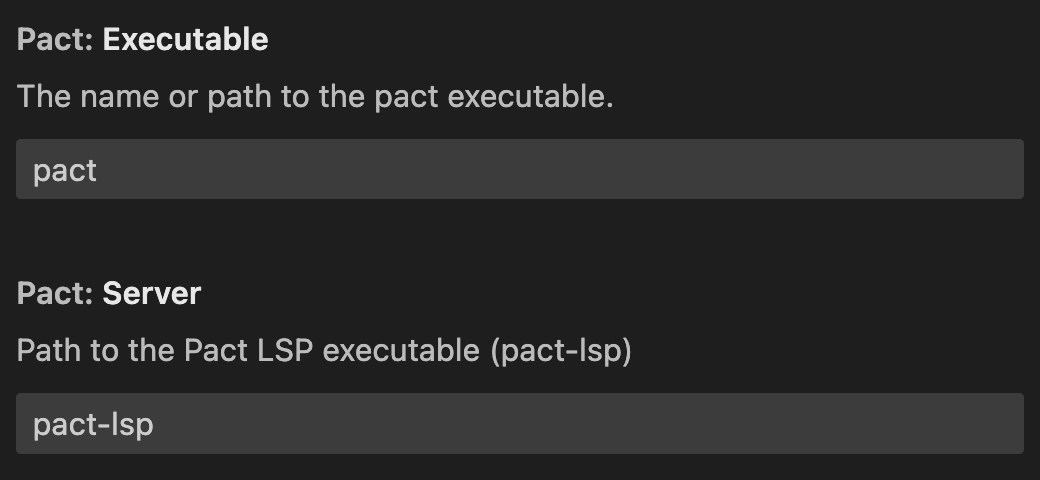
Kadena command-line interface
The Kadena command-line interface (kadena-cli) is a node.js package that provides direct access to the Kadena blockchain and to commands that help you create, test, deploy, and manage applications for the Kadena network.
You can use the Kadena command-line interface to perform many common tasks interactively.
You can also use kadena-cli commands in scripts and automated workflows that don't allow interactive input.
To install the kadena-cli package:
-
Open a terminal shell on the computer where you want to install the
kadena-clipackage. -
Verify that you have
node, version 18 or later, and thenpmorpnpmpackage manager installed.For example, check that you have node and npm installed by running the following commands:
node --version
npm --version -
Use the
npmorpnpmpackage manager to installkadena-cliglobally.For example, to install globally using npm, run following command:
npm install --global @kadena/kadena-cli -
Verify the package is installed and display usage information by typing
kadenaand pressing Return:kadena -
Prepare a development workspace with initial settings by running the following command:
kadena config initThis command creates the
.kadenaconfiguration folder location in your current working directory and adds default network settings to anetworkssubfolder, then prompts you to create a wallet. For example:Created configuration directory:
/Users/pistolas/.kadena
Added default networks:
- mainnet
- testnet
- devnet
? Would you like to create a wallet? (Use arrow keys)
❯ Yes
NoIf you already have keys and an account or an existing wallet that you want to use, you can select No to end the interactive session. However, wallets are an important part of interacting with any blockchain, so you can follow the prompts displayed to create a new local wallet and account as part of your initial configuration. For more information about using the Kadena CLI as your primary interface for development tasks, see Develop with kadena-cli. For command-line reference information, see Kadena CLI.
Chainweaver wallet and IDE
Chainweaver is a combination wallet and integrated development environment that enables you to manage accounts and keys, sign transactions, and edit, call, and deploy smart contracts. Chainweaver is available as a desktop application or as a browser-based web application. With Chainweaver, you can build, test, and iterate on your smart contracts before deploying them to your local development network, the Kadena test network, or the Kadena main network.
As an integrated development environment (IDE), you can also use Chainweaver to:
- Explore smart contract modules and functions, including sample applications and default contracts.
- Define and manage authorization rules using keysets.
- Connect to and deploy smart contracts on your local development network, the Kadena test network, or the Kadena main network.
- Edit, update, and execute smart contract code.
If you don't already have a Chainweaver account, you should create one using either the After you download and install the desktop application or open Chainweaver in a browser, you can create a wallet and accounts to interact with Kadena networks.
For more information about using Chainweaver as your primary interface for development tasks, see Develop with Chainweaver.